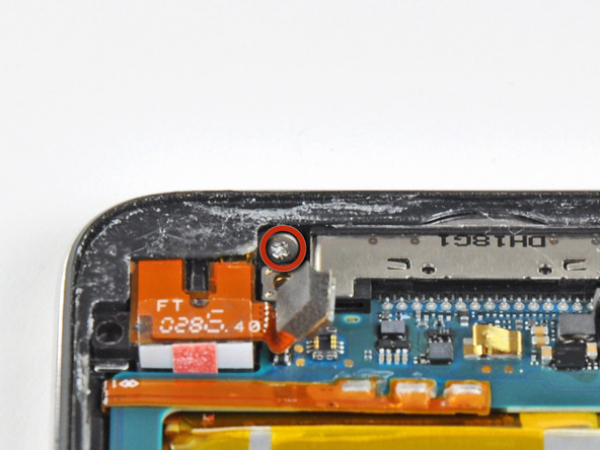
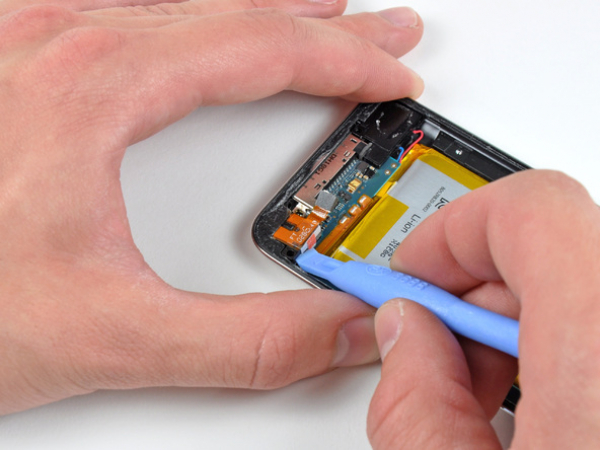
Demontering/ Montering av iPod Touch 4:e gen. överdel logikkort


Steg 1 - Frontpanel
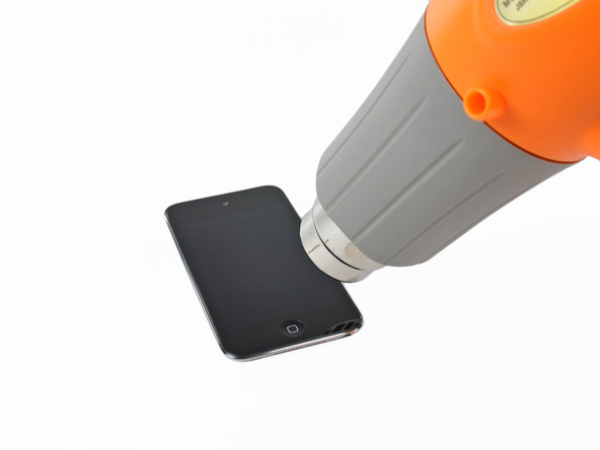
iPod Touch 4 frontpanel är fäst på bakre skalet med lim. Att använda en värmepistol för att mjuka upp limmet rekommenderas starkt.
Med värmepistolen inställd på "låg", börja värma den nedre delen av Touch nära hem-knappen.
Det föreslås att värma den önskade delen i en cirkulär rörelse för att jämnt fördela mängden värme över hela enheten.


Steg 2
Var försiktig, eftersom Touch kan bli mycket het. Det kan vara bra att hålla den med en handduk vid bändning.
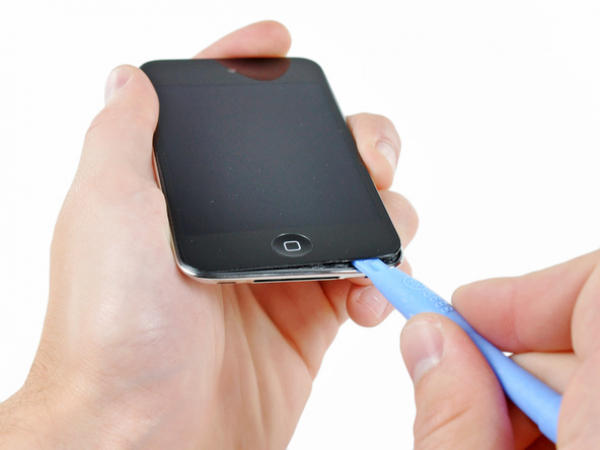
Sätt in änden av vårt öppningsverktyg mellan den främre glaspanelen och svarta plastramen nära hem-knappen.
Försök inte att bända mellan den svarta plastramen och bakre stålskalet.
Bänd upp den nedre kanten av frontpanelen, och var försiktig så att inte glaset böjs överdrivet.
Om det är för svårt att bända upp frontpanelen, värm den och försök igen.
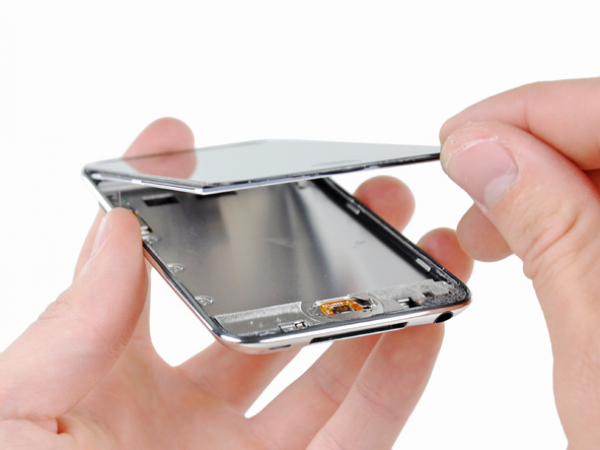
Steg 3
När det finns tillräckligt med utrymme för att få tag på frontpanelens nedre del, lyftes den bort från Touch hölje för att få bort limmet längs dess vänstra och högra sidor.
Om det är svårt att separera från limmet, använd en värmepistol för att mjuka upp det igen innan du fortsätter.
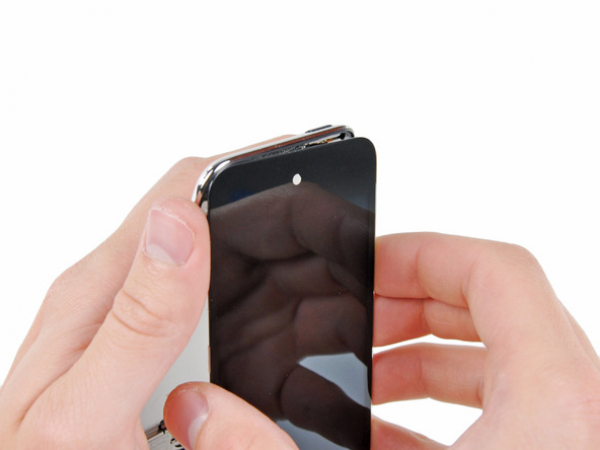


Steg 4
På grund av Touch 4 design, kan digitizer- kabeln inte kopplas bort förrän logikkortet är borttaget. Var extremt försiktig när du hanterar frontpanelen, eftersom den är kopplad till resten av Touch med den mycket känsliga digitizer- kabeln.
Displaykabeln är också mycket kort och är ansluten till logikkortet nära toppen av den främre panelen. Om den inte lossnar frigör samtidigt den övre delen av frontpanelen, och ta försiktig bort den med vårt öppningsverktyg innan du vrider ur Touch främre panel.
Dra försiktigt upp främre panelen från limmet som håller den till Touch, och tänk på den korta anslutna digitizer-kabeln mellan de två komponenterna.
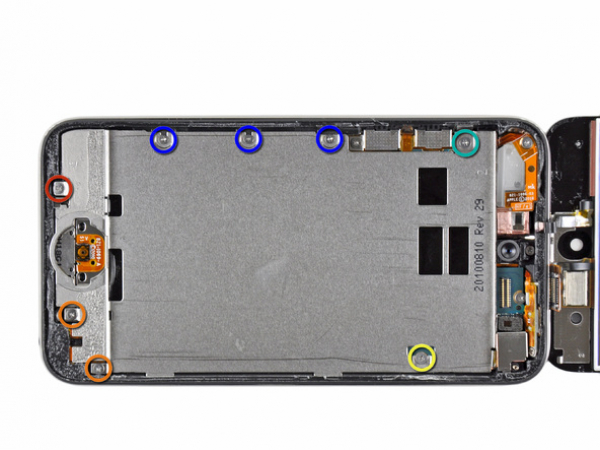
Steg 5
Ta bort följande åtta Philips #00 skruvar:
En 3,5 mm Philipsskruv
Två 3,0 mm Philipsskruvar
En 2,3 mm Philipsskruv
En 2,4 mm Philipsskruv
Tre 2,0 mm Philipsskruvar
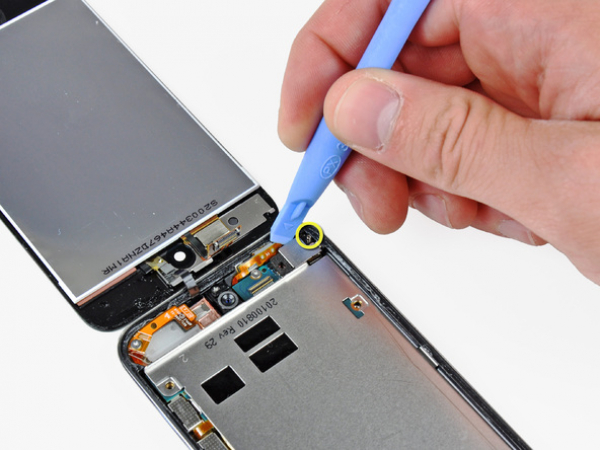
Steg 6
Använd änden av vårt öppningsverktyg för att bända upp stålskalet från den bakåtvända kameran.
Notera den lilla fjädern som ligger nära ramen bredvid kameran (gulmarkerad).
Ta bort stålskalet från iPod.
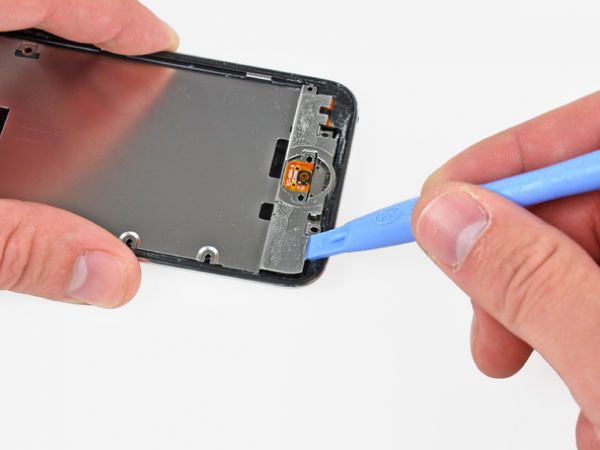


Steg 7
Sätt in änden av vårt öppningsverktyg under stålplattan nära det nedre vänstra hörnet på Touch.
Bänd uppåt för att separera plåten från limmet som säkrar den till innerskalet i plast.
Om plattan fortfarande är fäst till logikkortet återvärm området för att lossa limmet, separera därefter plattan från logikkortet med öppningsverktyget.
Var extremt försiktig, högtalaren finns under det område som visas i bild. Den är ansluten med en mycket tunn och kort kabel.
Det är en väldigt tunn bandkabel som ansluter volym- och ström-knapparna till logikkortet. Försök att komma runt detta område som visas så att inte kabeln skadas. Den är oerhört bräcklig.
Denna kabel kan gå av mycket lätt om du inte är försiktig.
Det finns också lim under det område som visas i rött.
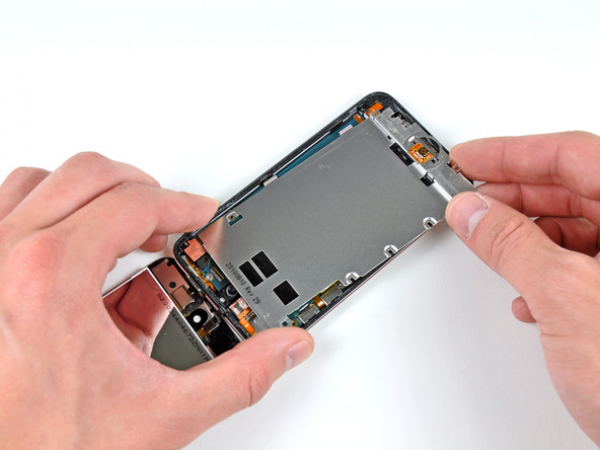


Steg 8
Luta mittre stålplattan något för att lossa den från det bakre skalet.
Var försiktig så att du inte river sönder koppartejpen som fäster den bakåtvända kameran till stålplattan.
Lyft upp stålplattan från det bakre skalet och lossa koppartejpen som fastnat på den bakåtvända kameran.
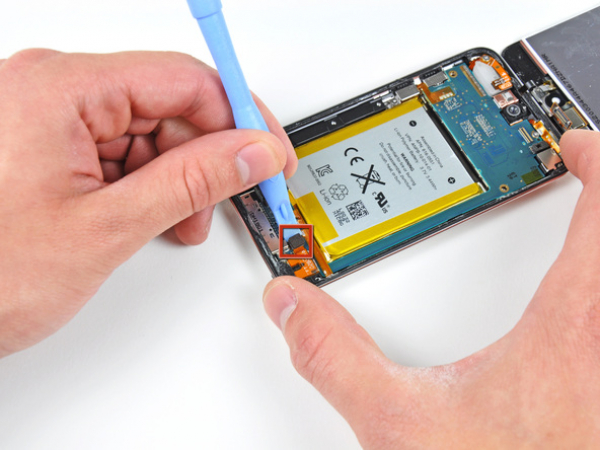
Steg 9 - Hörlursuttag
Till toppen
Använd vårt öppningsverktyg för att bända upp hörlurskontakten ur sin hållare på logikkortet.